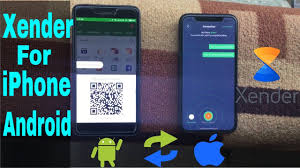
In an era where smartphones have become an integral part of our lives, transferring files between devices quickly and efficiently has become a necessity. Enter Xender, a popular app designed to make file sharing seamless. But how does Xender work, and what makes it stand out in a crowded marketplace? This article delves into the technology behind Xender, its features, and how it facilitates rapid file transfers.
What is Xender?
Xender is a cross-platform file-sharing application that allows users to transfer files between devices without relying on an internet connection. It supports a variety of file types, including photos, videos, music, documents, and apps. The app is available on multiple operating systems, including Android, iOS, Windows, and Mac OS, making it versatile and user-friendly.
The Core Technology Behind Xender
- Wi-Fi Direct: At the heart of Xender’s functionality is Wi-Fi Direct, a technology that enables devices to connect to each other directly via a wireless network without needing an access point like a router. Wi-Fi Direct creates a peer-to-peer network that facilitates fast data transfer speeds, typically faster than Bluetooth and other traditional methods.
- No Internet Required: One of Xender APK biggest advantages is that it does not require an internet connection to transfer files. This is particularly useful in areas with poor or no internet connectivity. The app leverages the local Wi-Fi network or Wi-Fi Direct to handle transfers, ensuring that users can send and receive files even when offline.
- High-Speed Transfer: Xender is known for its impressive transfer speeds. By using Wi-Fi Direct technology, it can transfer files at speeds up to 200 times faster than Bluetooth. This efficiency is crucial for users who need to move large files or batches of files quickly.
How Xender Facilitates File Transfers
- Establishing a Connection: To begin transferring files with Xender, both the sending and receiving devices need to have the Xender app installed. The process starts with one device creating a connection or “Hotspot,” which the other device then connects to. This is done by opening the Xender app and selecting the “Send” or “Receive” option.
- Creating a Group: The sending device creates a group and the receiving device joins this group by searching for the available network on the Xender app. Once connected, the devices form a direct connection through which data can be transferred.
- Transferring Files: After the connection is established, users can select the files they wish to send. Xender provides a simple and intuitive interface where users can browse their files, select what they want to send, and initiate the transfer. The files are then transmitted over the direct Wi-Fi connection at high speeds.
- Receiving Files: On the receiving end, users just need to accept the incoming files. Xender will handle the rest, ensuring that files are properly received and stored on the device. The app also provides progress indicators to let users know how the transfer is progressing.
Additional Features and Benefits
- Cross-Platform Compatibility: Xender supports file transfers between different platforms. For example, you can transfer files from an Android device to an iPhone, or from a Windows PC to a Mac. This cross-platform capability is one of Xender’s key strengths, making it a versatile tool for diverse users.
- File Management: In addition to file transfer, Xender offers file management features. Users can browse and organize their files directly within the app. This integration makes it easier to manage and access files without switching between different apps or file managers.
- No Data Loss: Xender ensures that files are transferred without any loss of quality. Whether you’re sending high-resolution photos or large video files, Xender maintains the integrity of the data during the transfer process.
- Ease of Use: The user interface of Xender is designed to be straightforward and intuitive. This simplicity ensures that users of all technical skill levels can quickly learn how to use the app and make the most of its features.
Conclusion
Xender stands out as a robust and efficient tool for file transfer, leveraging the power of Wi-Fi Direct technology to provide fast, reliable, and internet-free file sharing. Its cross-platform support, high-speed transfers, and user-friendly interface make it a valuable asset for anyone needing to move files quickly and easily. By simplifying the process of file transfers and offering additional features for file management, Xender addresses many of the common pain points associated with transferring files between devices. Whether you’re sharing photos, videos, or documents, Xender provides a seamless and effective solution.


